

Instructions for accessing APM's online physio services on laptop or desktop
1. Click on the 'Join Microsoft Teams Meeting' link included in your booking confirmation or reminder email.
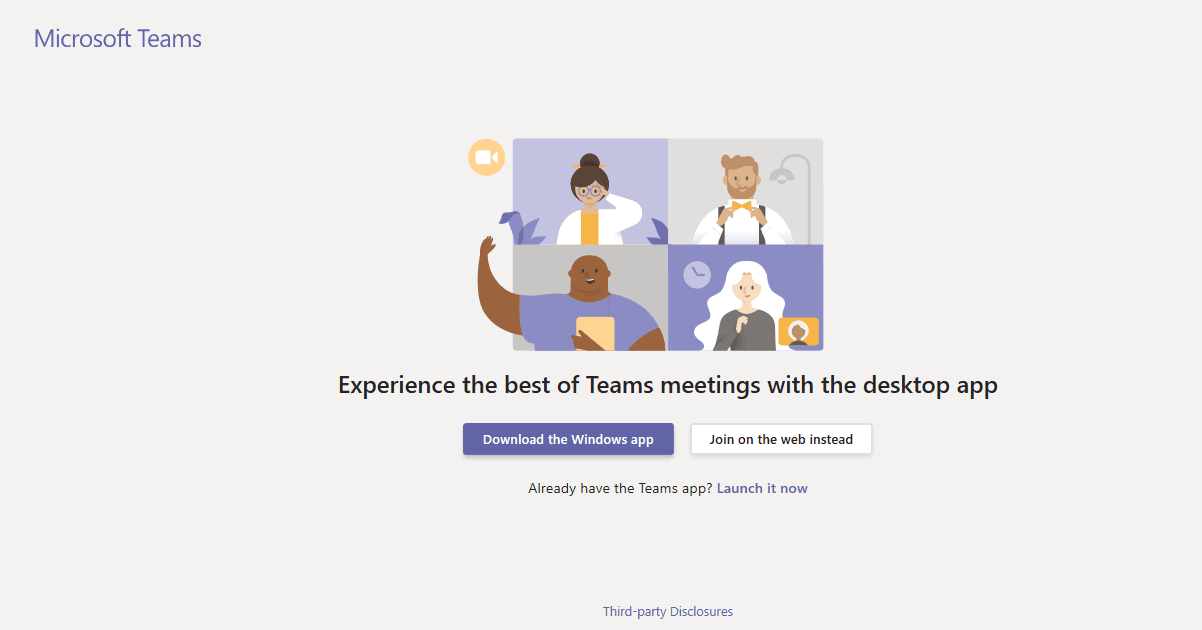
2. Once the Teams page has opened, click the 'Join on the web instead' button.
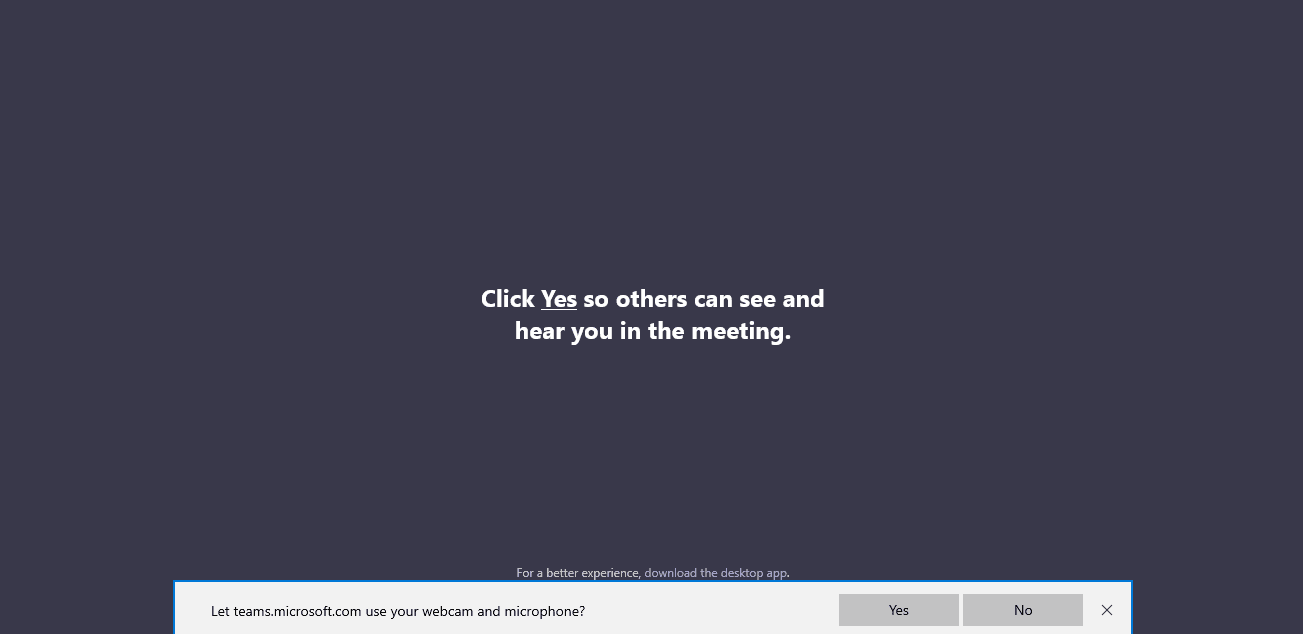
3. Click 'Yes' on the 'Let teams.microsoft.com use your webcam and microphone?' prompt so that you can hear your consultant.
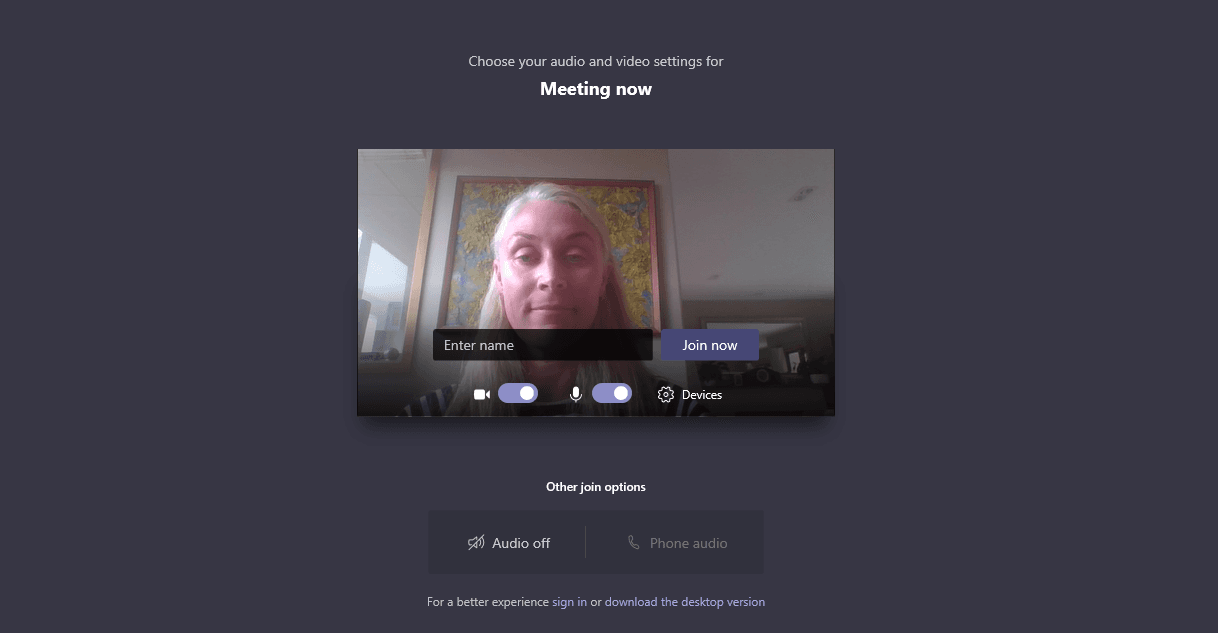
4. On the next screen, type your name into the 'Enter name' box and then click 'Join now'.
5. You will see a message saying 'Joining, someone in the meeting should let you in soon' while waiting for your appointment to start.
6. Once in the Teams meeting room, you can control the sound and video with the controls at the bottom of the screen.

7. Your consultant can now work with you via video call, and provide the care you require.
8. If you have any difficulty connecting, exit and try reconnecting using the invitation link again.